Comicpendium, the comic reading list app I built before my second son was born
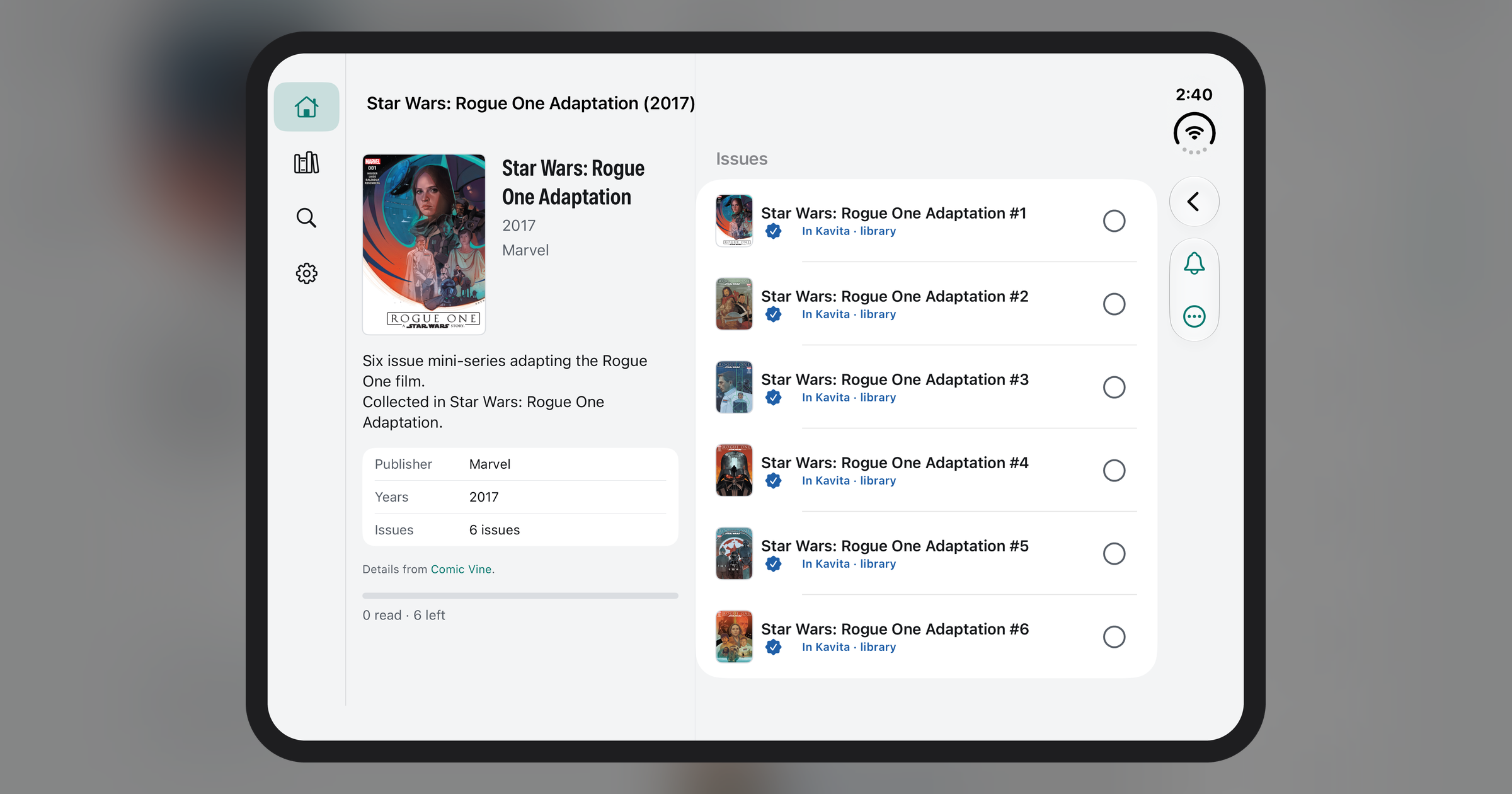
A few months ago I knew two things were coming: the birth of my second son, and a lot of waiting around. There would be hours in a hospital room, and then paternity leave with a newborn who sleeps in short stretches. I wanted to spend some of that time reading, and I wanted my place in my reading list on my phone, even with a bad connection.
I’m reading the Star Wars comics in timeline order, which is a long chain of series and miniseries from different eras, and it’s easy to lose your place. (I happen to be working through the canon books alongside them, but that’s just me.) My collection lives on a home server, and I’m working through the Star Wars timeline one issue at a time. I couldn’t find a tool that tracked a reading order the way I read, so I built one in my spare time, with Claude, in the evenings. I finished it and got it submitted to the App Store before he arrived. That’s Comicpendium. He’s here now, and the app is getting a workout.
What it does
The name is just “comic compendium” run together: one place for your comics and the order you read them in.
You follow a reading list, a series or a whole universe, and it keeps your place. The Home screen shows what to read next. You can mark an issue read, or mark everything up to here as read when you’re catching up on a long list. If you follow a series, new issues are added as they come out, and you can get an alert on release day or a weekly digest.
I use it for my timeline read-through. I follow a timeline reading list, the Home screen shows the next issue, and when I finish one it moves on. Whatever I finish, the next issue is already waiting on the Home screen. Series that return later in the order start a new run, so the order stays exactly as the list has it.
Lists can come from the community. You can search a large public collection of reading lists and import one in a tap, or import your own list files.
Where the data comes from
Comicpendium works with two community catalogs, and both are optional. Metron gives covers, creators, summaries and release dates through your own free account. I use Comic Vine myself, so it supports that too: if you have your own Comic Vine key, it will fill in covers from there. Neither is required, and nothing in the app depends on them.
Your own collection
If you run a Komga or Kavita server, you can connect it. Comicpendium then matches your files to the issues it’s tracking, shows what you own and what’s missing, and brings your progress back in. Matching comics is harder than it sounds (same-name volumes, trades that collect several issues, odd file names), so anything uncertain goes to a review queue instead of being guessed.
Issues on your server can be read in the app, with page-curl, slide or fade turns, one page or two, left-to-right or right-to-left, and an optional panel-by-panel mode. This is the part I built for the hospital: you can save issues for offline reading, or have it keep the next few unread ones ready whenever you’re on Wi-Fi. Pages only ever come from your own server, and the app doesn’t fetch or host comics from anywhere else.
Made for iPhone and iPad, including the iPhone Duo
Comicpendium runs on iPhone and iPad. It supported the iPhone Duo natively from 1.0, so the foldable wasn’t an afterthought. On the folded cover screen you get a slim menu rail, and when you open it up the layout widens into a sidebar with room for a side-by-side series screen. The reader shows two pages at a time when there’s room. It works the same way on an iPad, so I can pick up my list wherever I am.
Free and private
Comicpendium is free, with no ads and no subscriptions. There’s no backend. Everything runs on your device. There’s a free sample comic, Pepper&Carrot by David Revoy (CC BY 4.0), so you can try the whole thing without connecting anything.
Comicpendium on the App Store · Support
He’s here, he’s cooperative, and he eats a lot, which gives me plenty of time with my reading list. If you read comics in a specific order, I hope Comicpendium helps you keep your place too.